
Let customers know the moment their order is ready
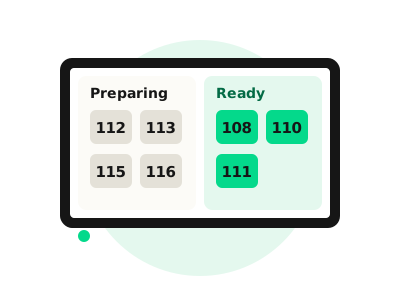
A customer collection screen shows every order number as Preparing or Ready, so people can relax instead of crowding the counter, and your team can get on with the next order.
Why add a collection screen
A calmer counter
Customers wait comfortably and watch for their number, instead of queueing to ask about their order.
Fewer interruptions
Staff spend less time answering 'is mine ready?' and more time serving.
Perfect with kiosks
Customers order at a kiosk, take their number and watch it move from Preparing to Ready.
How it works
When an order is placed, its number appears under Preparing. When the kitchen marks it done, it moves to Ready, so customers know exactly when to come up.
- Choose which orders appear, usually kiosk and till orders
- Runs on a TV or monitor of your choice
- Updates automatically from your kitchen
Preparing
Ready
Collection screen pricing
Add a collection screen to any OnePlusTwo plan.
Use a TV or monitor of your choice. We don't supply the screen itself, but we'll help you pick one and get it set up.
Do I need a special screen?
No. It runs on a TV or monitor of your choice, and we'll advise on what works best for your space.
Which orders show on the screen?
You choose. Most restaurants and takeaways show kiosk and till orders.
How much does it cost?
£19 a month + VAT per screen when you're on a OnePlusTwo plan.
See how collection screens work
Book a free demo and we'll show you the full journey from order to collection.